Invoice-Logan Doles-12-07-2023.xlsx (13.1 KB)
I would’ve been toast without the solution section.
Invoice_CanyonEsplin_12-08-2023.xlsx (13.1 KB)
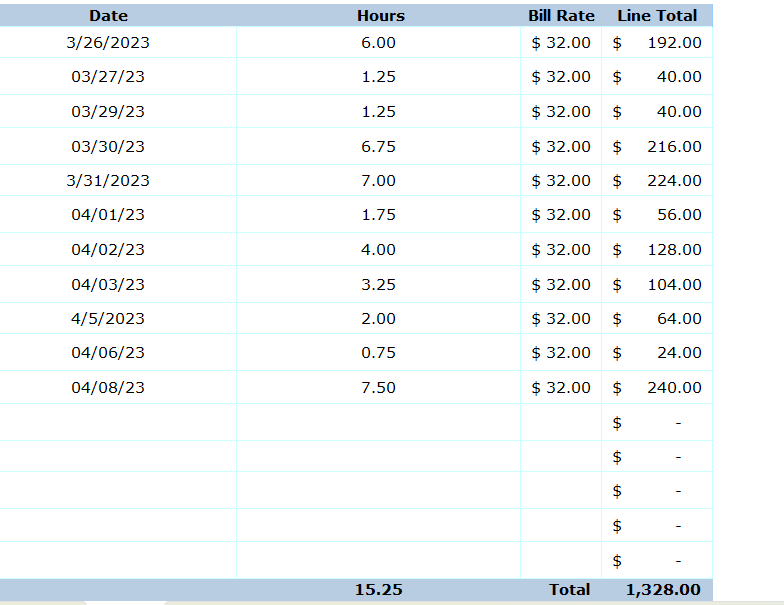

Invoice - Matthew Lloyd - 12-08-2023.xlsx (13.0 KB)
Here is my response
Jaxon Jones - 12-08-2023.xlsx (19.5 KB)
Video was hard to follow but it was cool to learn!
1 Like
I had a ton of issues and it took me a long time to debug. Glad I finally got it figured out.
Invoice - Katie Morgan - 12-08-2023.xlsx (13.1 KB)
Here is my Invoice. This was definitely a challenge, but it was very helpful in expanding my knowledge of UiPath
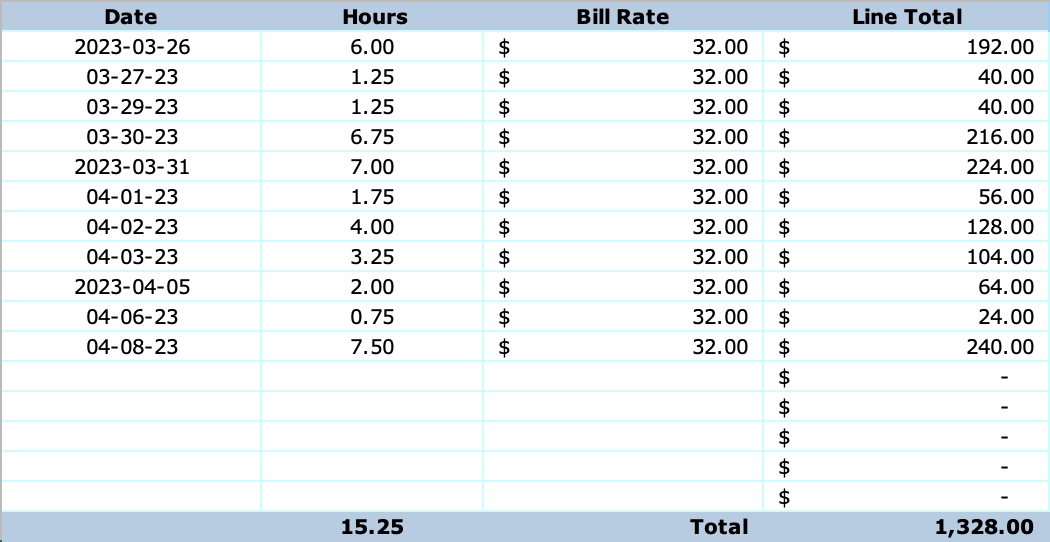
Invoice - James Clark - 12-08-2023.xlsx (14.1 KB)
This was definitely a tough challenge but really cool once I could get it to work.
Thanks to the in-class example, ChatGPT, the solution video, and debugging video, this was an awesome way to practice UiPath.
Invoice_Britney Braatz_12-08-2023.xlsx (13.1 KB)
This was kind of difficult for me! The solution video helped out and after a lot of debugging this is my invoice!
Invoice - Maddy Jones - 12-08-23.xlsx (13.1 KB)
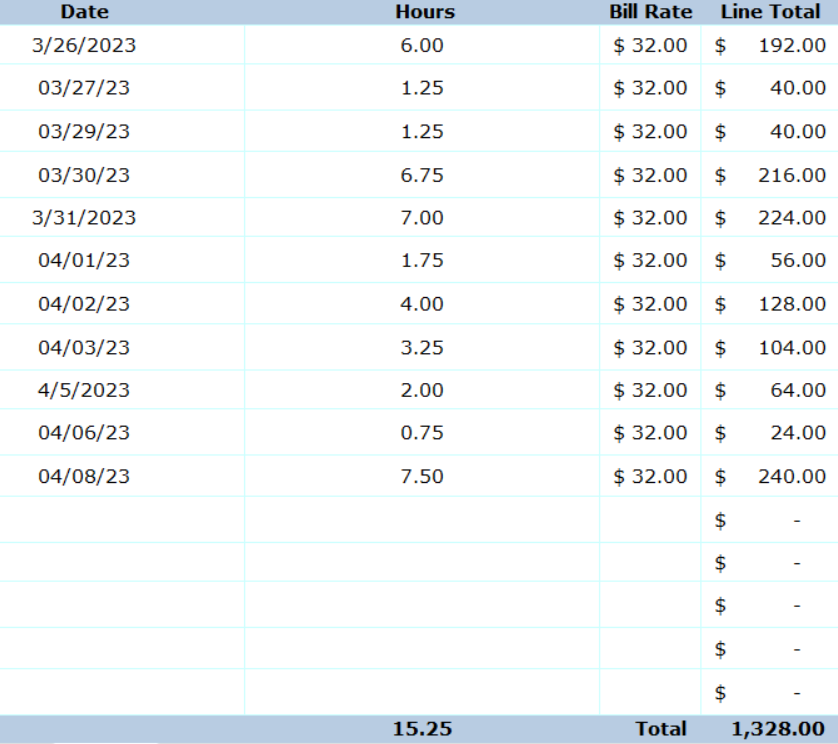
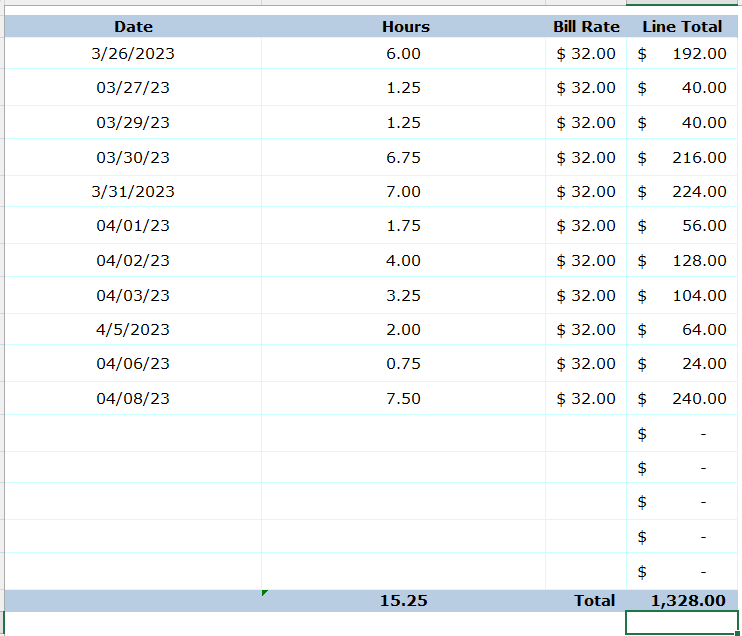
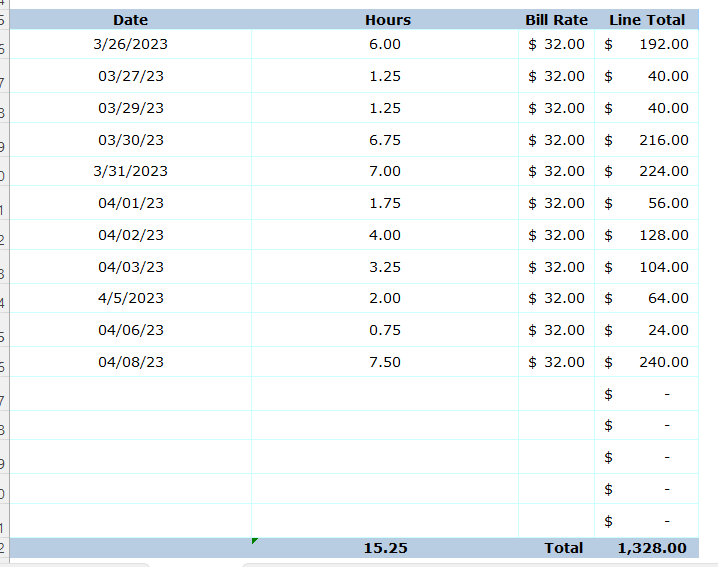
I had a difficult time knowing what to do for this problem. Hoping it helps me with my future knowledge of UIPath.
Great Challenge! I tried to perform it using the modern view, but it wouldn’t populate the excel sheet with the data from the datatable. So I am still working on that.
Invoice - Rich Robertson - 12-08-2023.xlsx (13.1 KB)
SkyBridge.xlsx (13.1 KB)
Tough Challenge, if I didn’t follow the video then I couldn’t have finished it.
This was definitely hard for me to do but I learned a lot.
Invoice - Grace Evans - 12-08-2023.xlsx (13.0 KB)
1 Like
Very tough.
Invoice - Mason Lewis -12-08-2023.xlsx (13.1 KB)
Thanks for the difficult Tech Hub challenge! I really had to utilize the “Debug” tool to understand where I was going wrong to help resolve the issues.
Wow–after debugging for quite a while–I finally figured it out. For the last portion (writing to range and cells) I included all of those elements in the “Use Excel File” tool nested in the Excel Process Scope (thinking I needed this because in the modern version it doesn’t have a space to specify the file path in the Excel Process Scope). Since each write range and write cell tool already specify the file path, I finally removed the “Use Excel File” tool and simply pasted them into the Excel Process Scope. Then it worked–interesting. I really am wondering when we should use the “Use Excel File” tool.
But after doing this, I feel like I understand–a bit more–nesting certain tools and sequences and which tools to use.
Invoice - Bailey Moore - 12-08-2023.xlsx (13.4 KB)
I think this has been the hardest TechHub training exercise I’ve done! Good learning experience. Thanks for pushing me to learn!
12-08-2023.xlsx (13.0 KB)