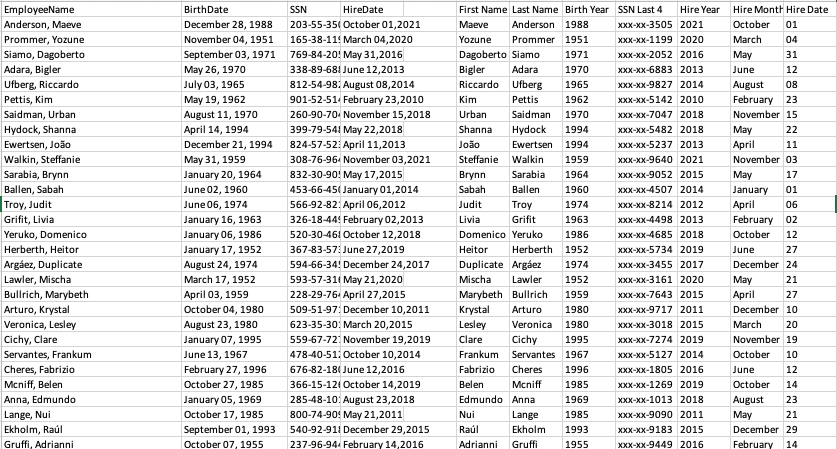
Challenge13_Transform_Your_Data! (1).xlsx (546.5 KB)
1 Like
Challenge13_Transform_Your_Data!.xlsx (542.6 KB)
1 Like
This challenge was a great reminder of the text manipulation functions, many of which I had completely forgotten how to use. My solutions were a bit different than the video provided, but that’s the fun thing about Excel there are many ways to get the correct answer.
Challenge13_Transform_Your_Data!.xlsx (643.9 KB)
Although it was my first time and pretty confusing, I think It was great to do text manipulation functions in Excel. I was able to understand how powerful the formulas are used in this problem, and I hope to use them in the future.
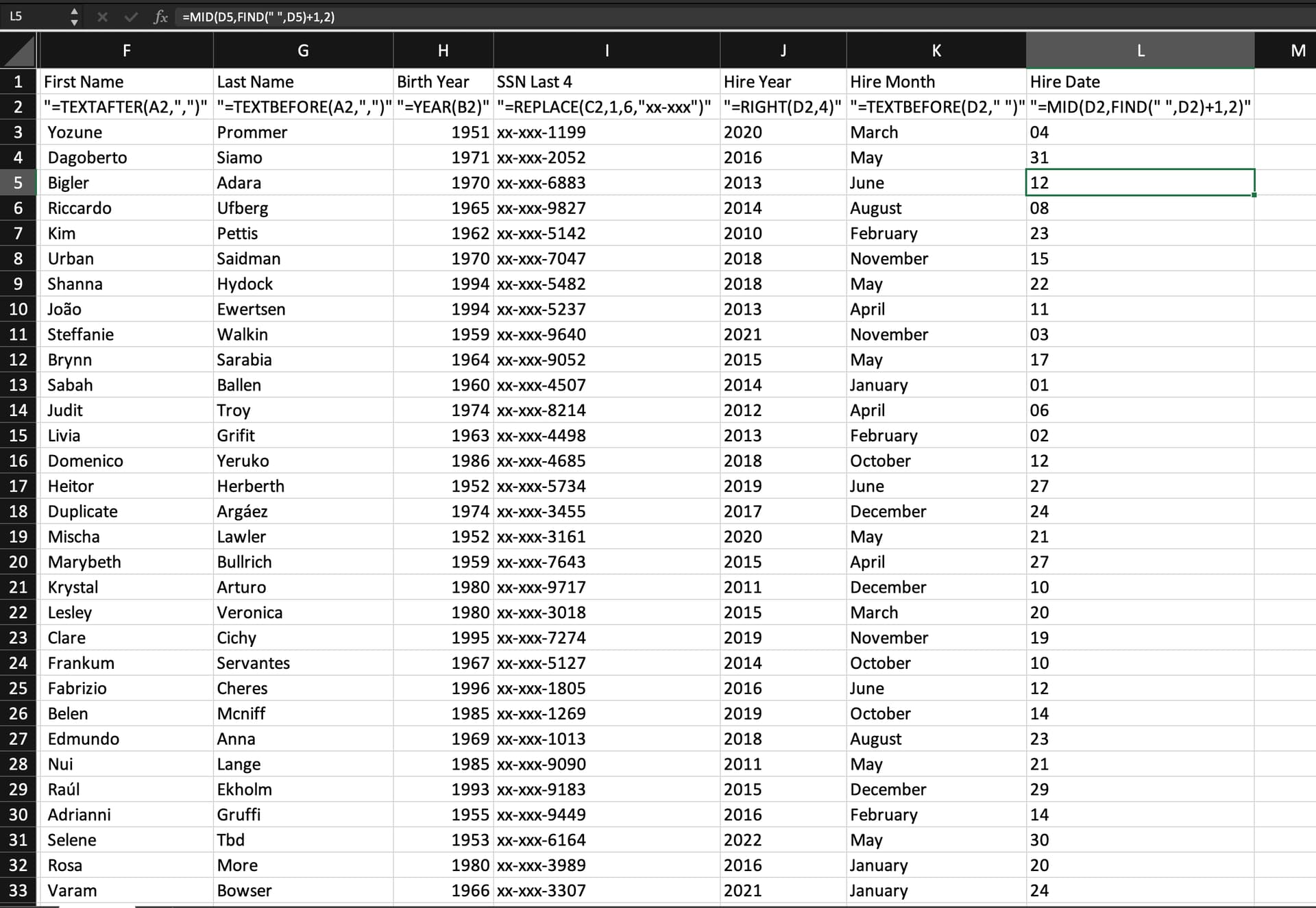
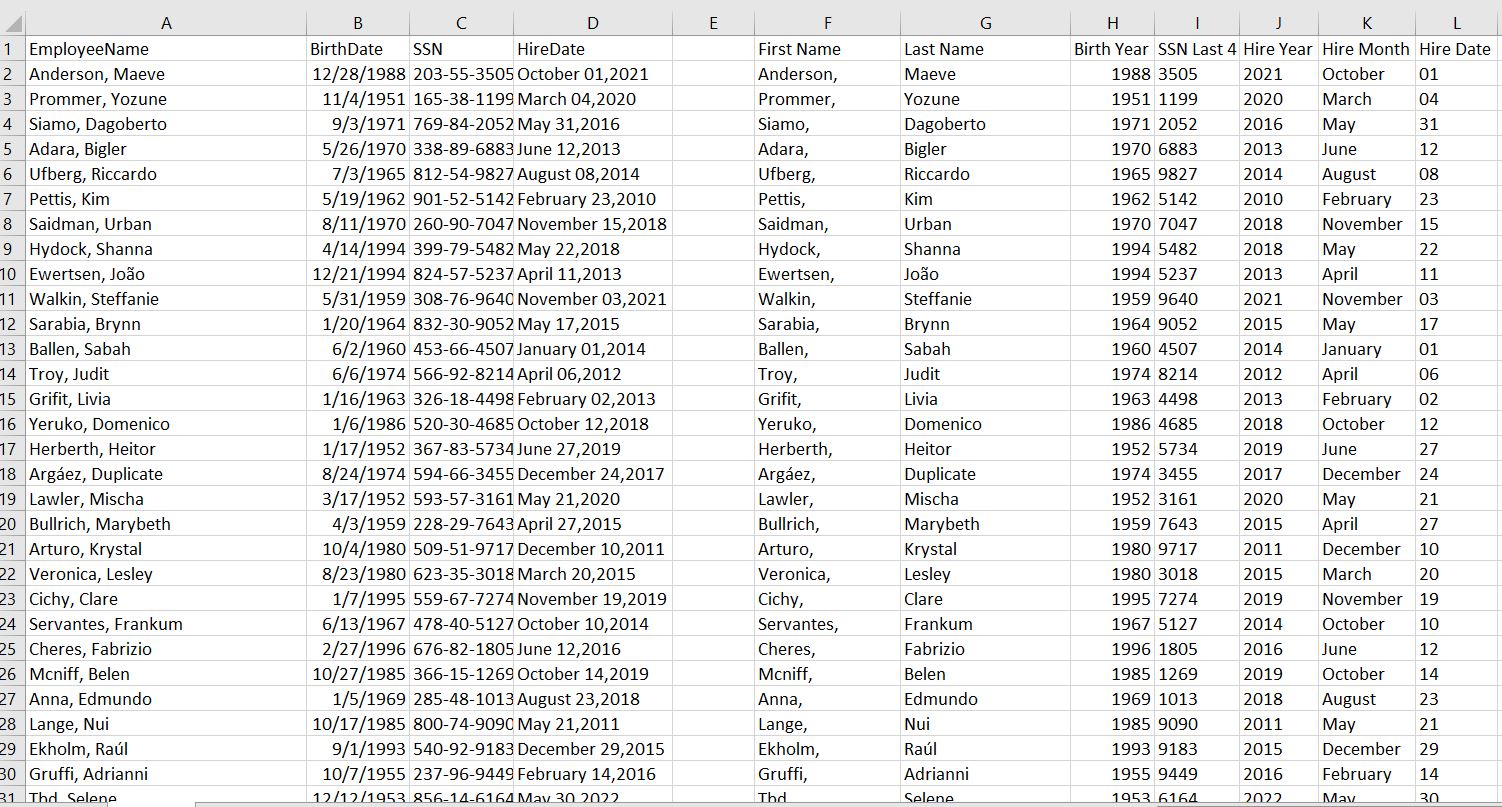
The data extraction was pretty straightforward except for SSN. I had some trouble inserting the two functions in conjunction. I know a replace function needs to be added. What is the thought process there?
1 Like
Challenge13_Transform_Your_Data!.xlsx (578.3 KB)
This was a great refresh of how to do text manipulations in excel.
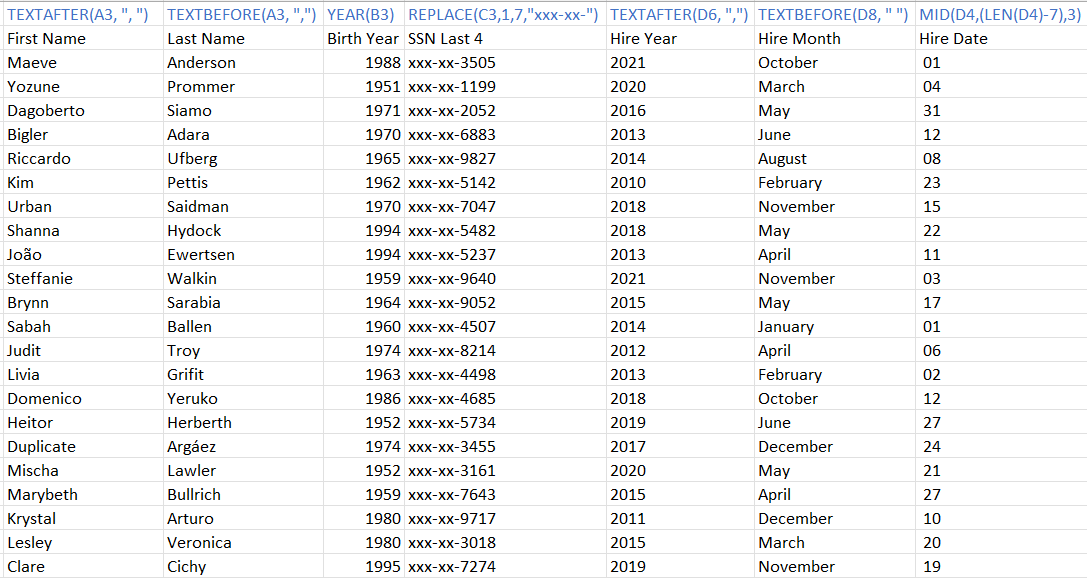
Here is my solution
Challenge13.xlsx (540.9 KB)
This was a great refresher on text manipulation. I probably used different formulas than most but was able to format everything. I had some trouble thinking through how to splice the hire dates into separate months, days, and years respectively but ultimately figured it out after some quick trial and error. Here are my solutions:
Ben_Shaw_Transform_Your_Data!.xlsx (538.7 KB)
Challenge13_Transform_Your_Data!.xlsx (539.9 KB)
Here is my solution!
Challenge13_Transform_Your_Data!MB.xlsx (546.0 KB)
This was fun to solve! I like how there are a lot of different ways of getting to the answer.
My solution!
9-16-23 Tech Hub HW 2 Challenge38_Cowabunga_Inventory (2).xlsx (16.1 KB)

Challenge13_Transform_Your_Data!.xlsx (413.6 KB)
This is my solution. This solution took me a couple of tries and I had to use the built in tips that excel provides. There are different formulas that can be used to obtain the desired outcomes. In the end, I used a variety of methods to acquire practice. Great exercise!
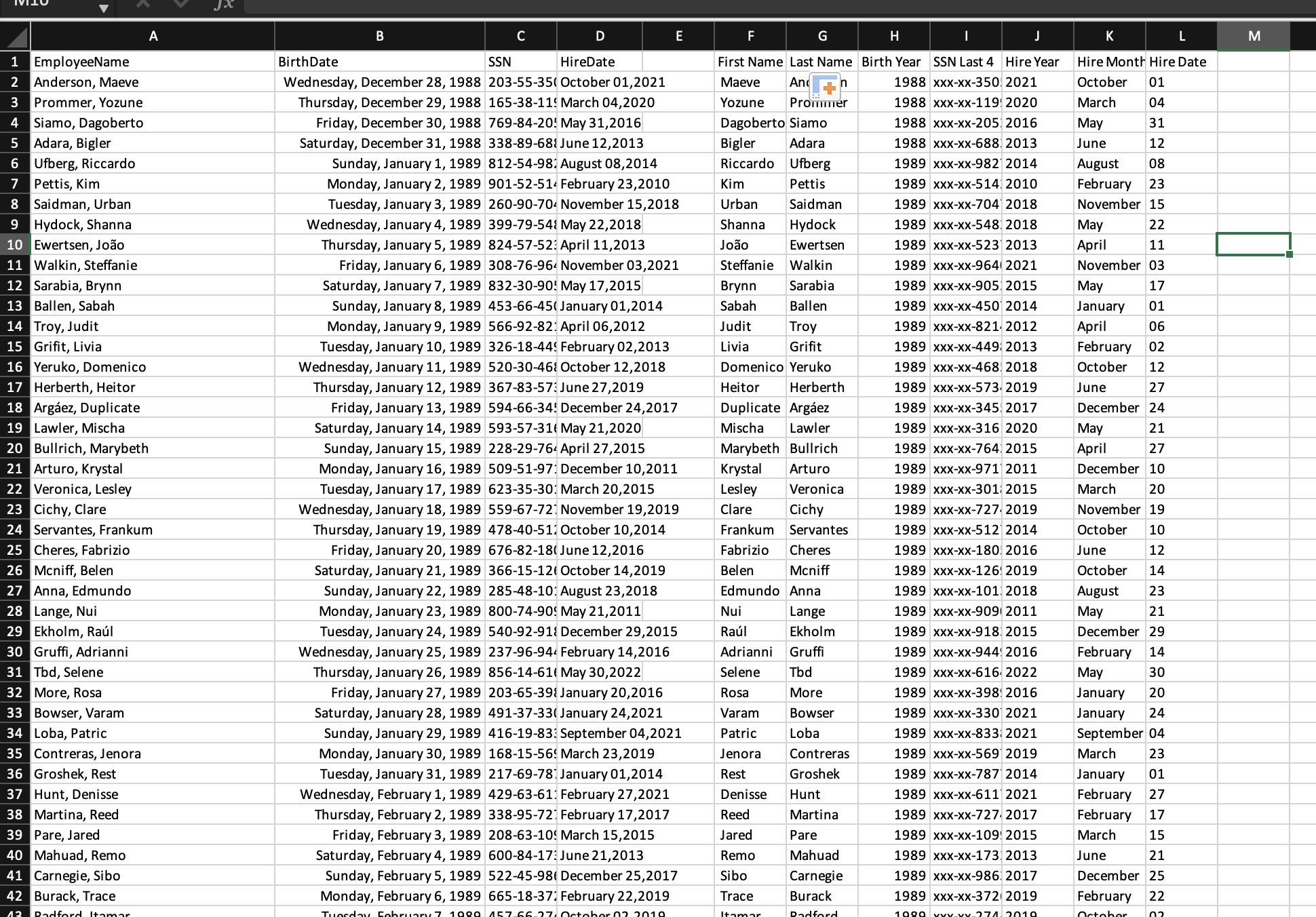
I enjoyed this one. I found a new formula I had not used before with text manipulation.
Challenge13_Transform_Your_Data!.xlsx (552.3 KB)
Here is my solution to this problem! This challenge was great and really helped me remember some of the formulas that I have used previously.
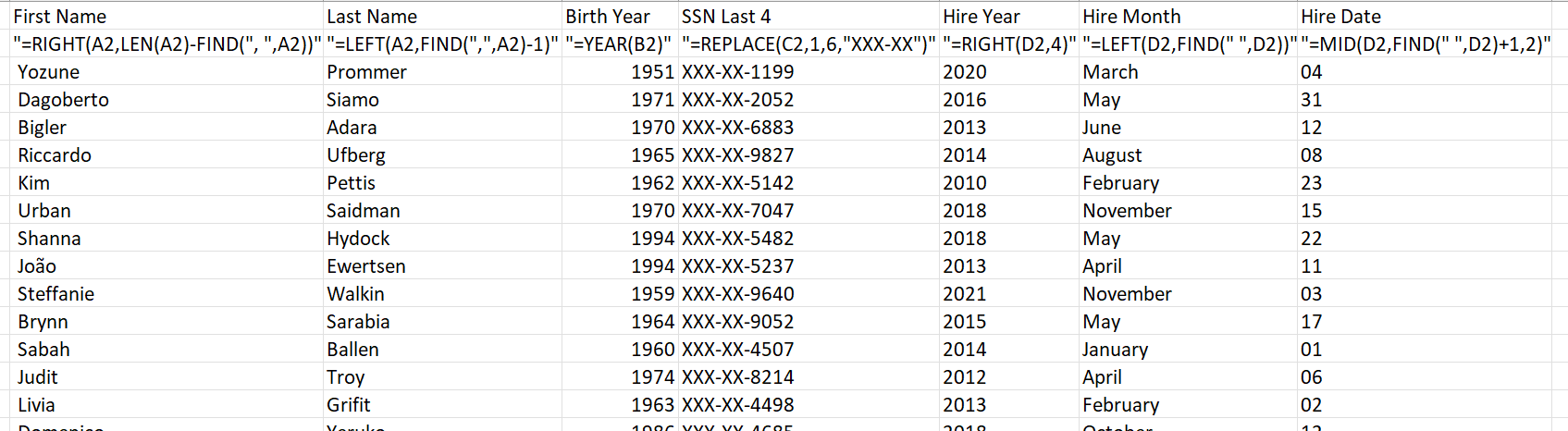
Here is my solution
Challenge13_Transform_Your_Data!.xlsx (496.5 KB)