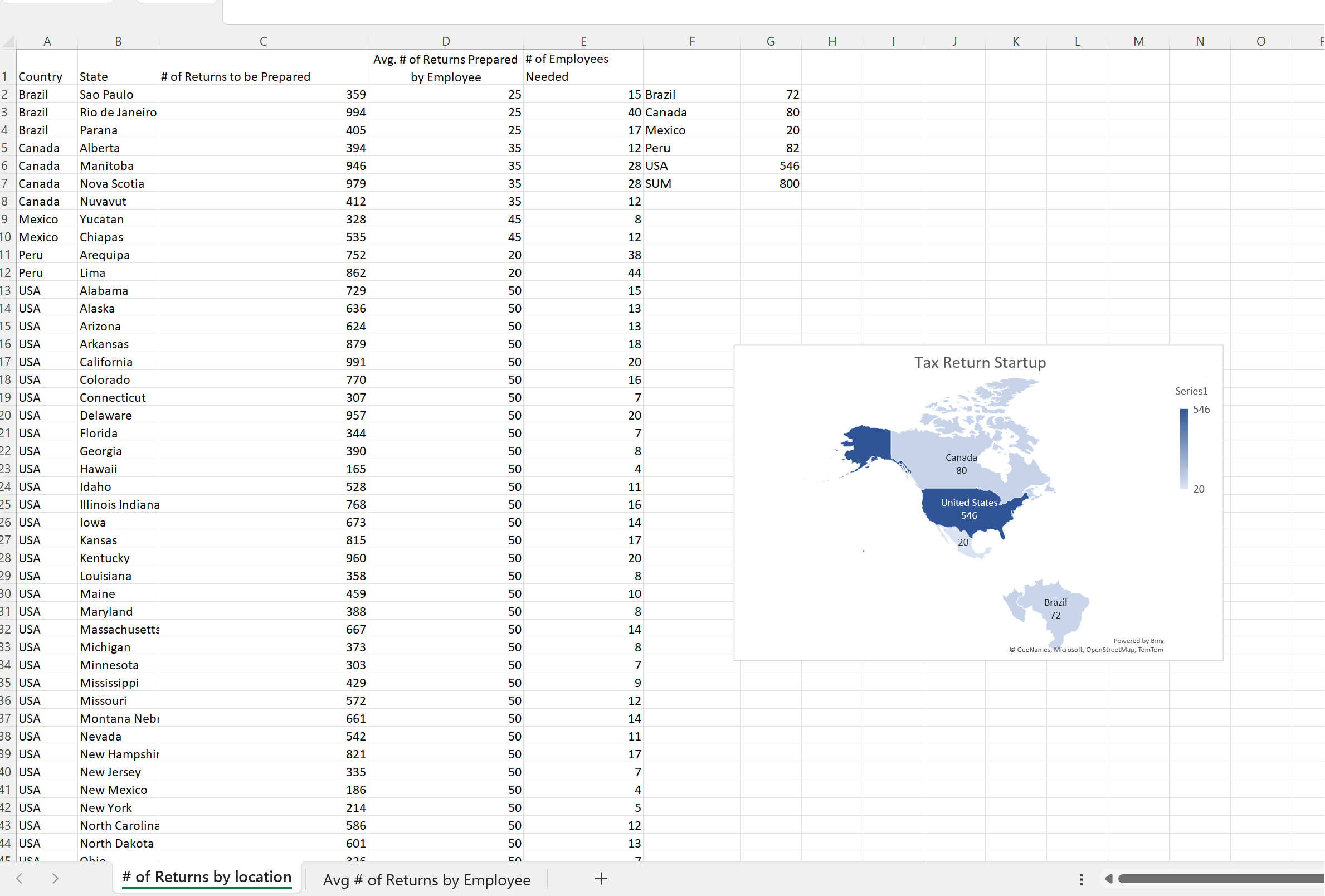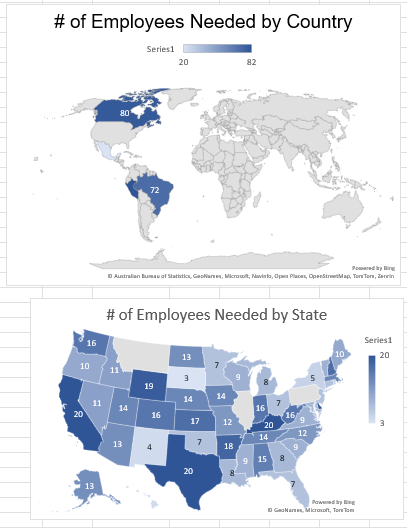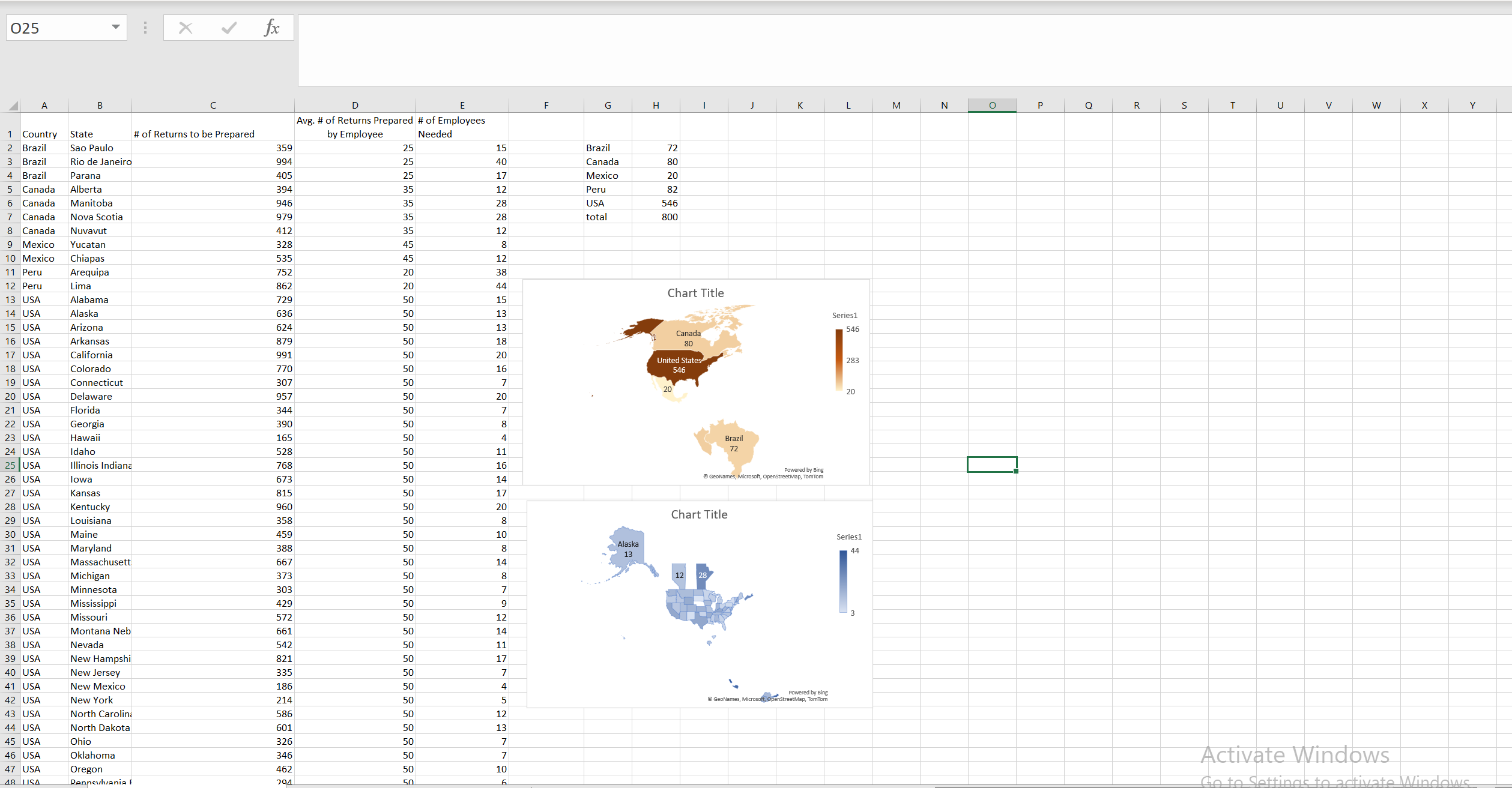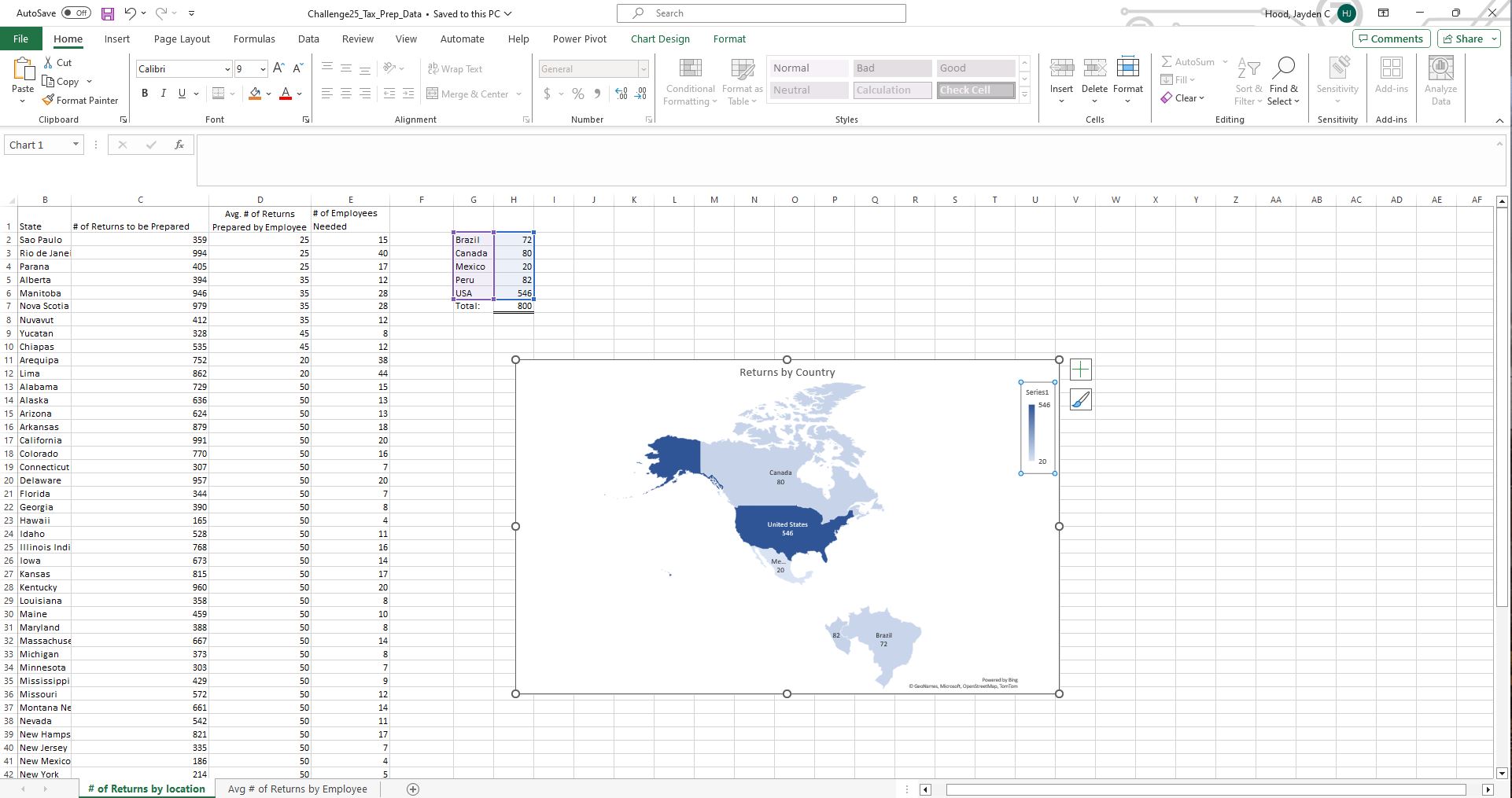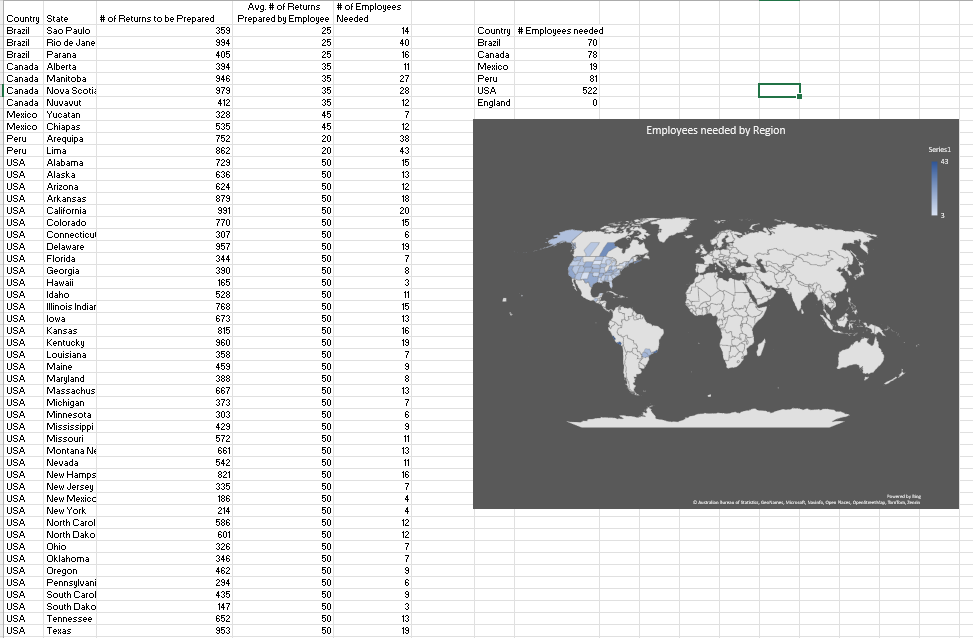
I used the Index/Match and SUMIF functions for this challenge.
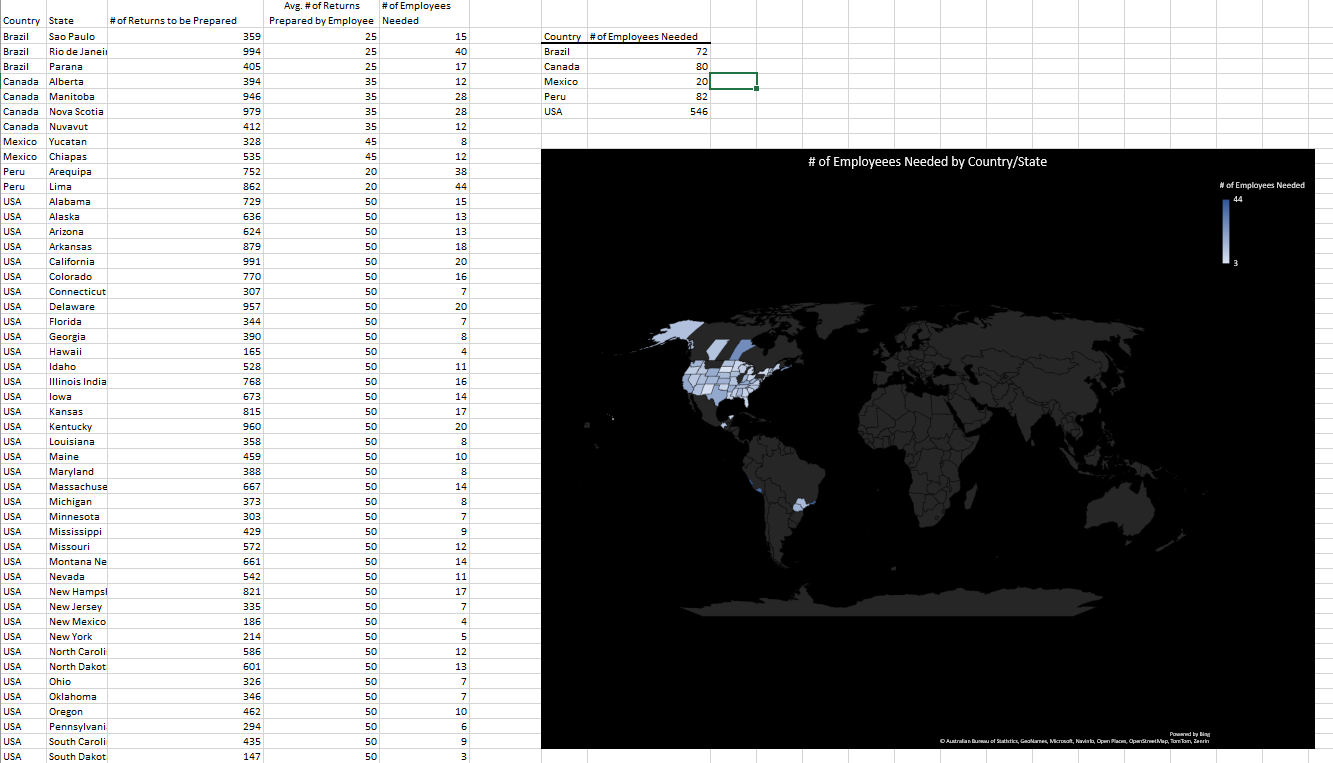
A formating thing but if anyone has insight on how to make the map view include only the regions that have values that would be great.
Good reminder of basics.
I used the Index/Match and SUMIF functions for this challenge.
A formating thing but if anyone has insight on how to make the map view include only the regions that have values that would be great.
Good reminder of basics.
Challenge2b_Dataset_Little_Chicken.xlsx (12.4 KB)
Challenge25_Tax_Prep_Data_AbbieNielson.xlsx (507.1 KB)
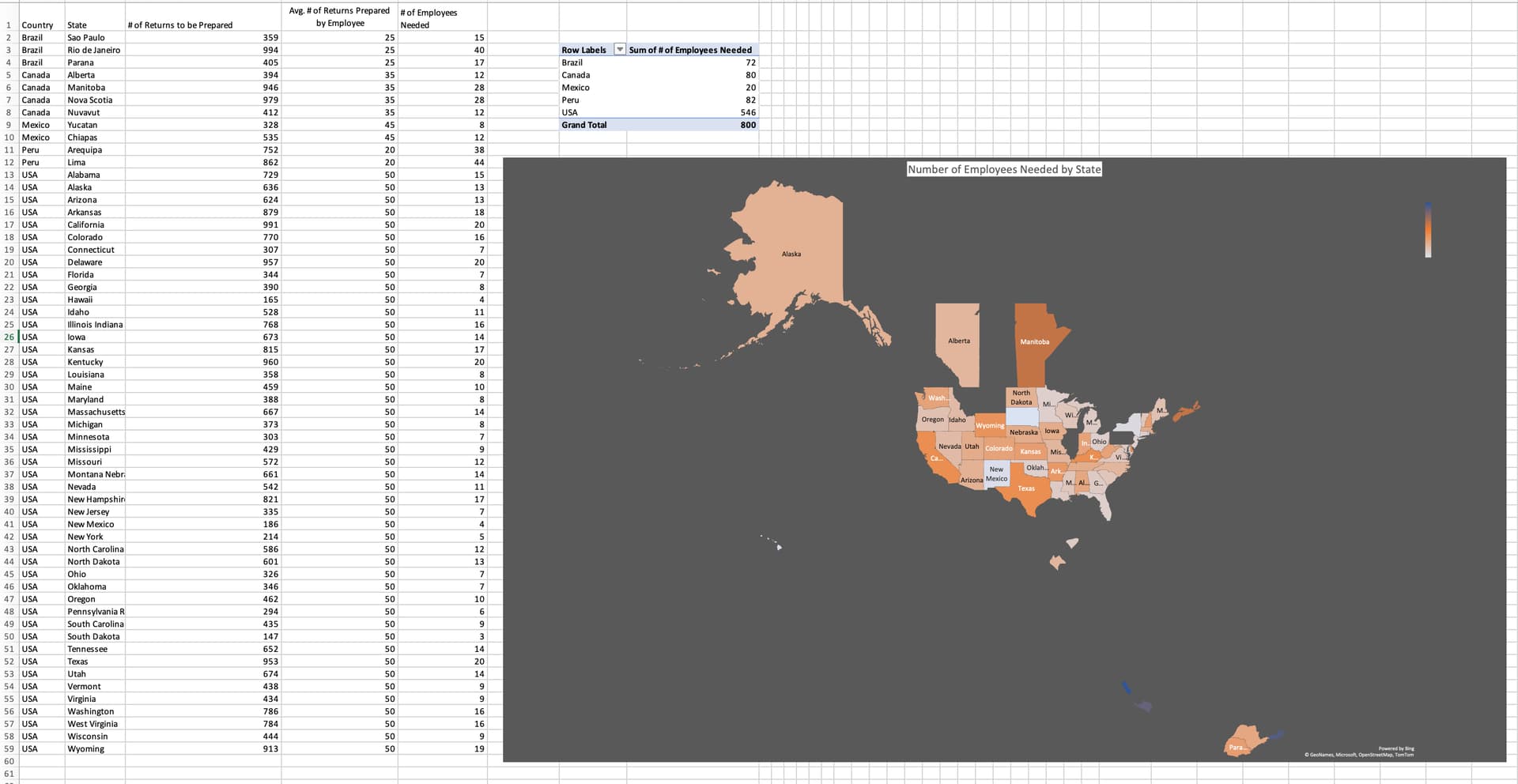
I had no idea that Excel was even capable of this. This will definitely be a useful tool for me in the future. Here’s my solution:
Challenge25_Tax_Prep_Data_mason_ethington.xlsx (506.9 KB)
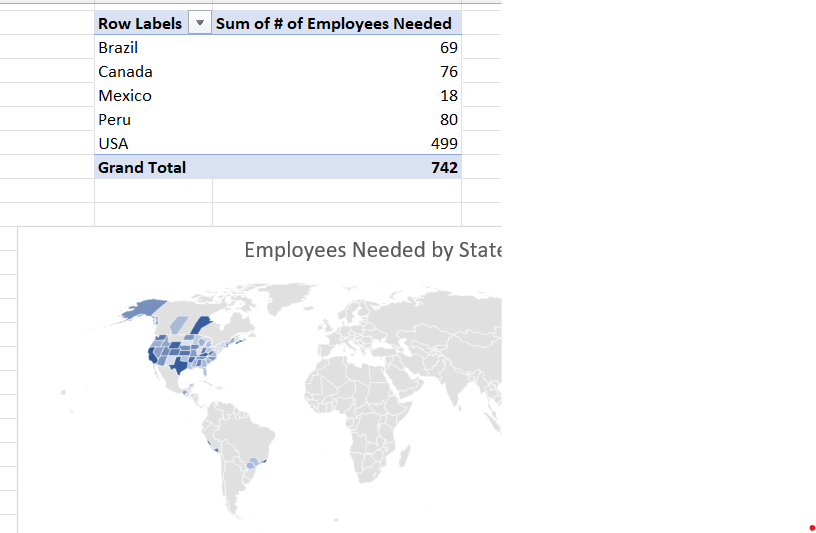
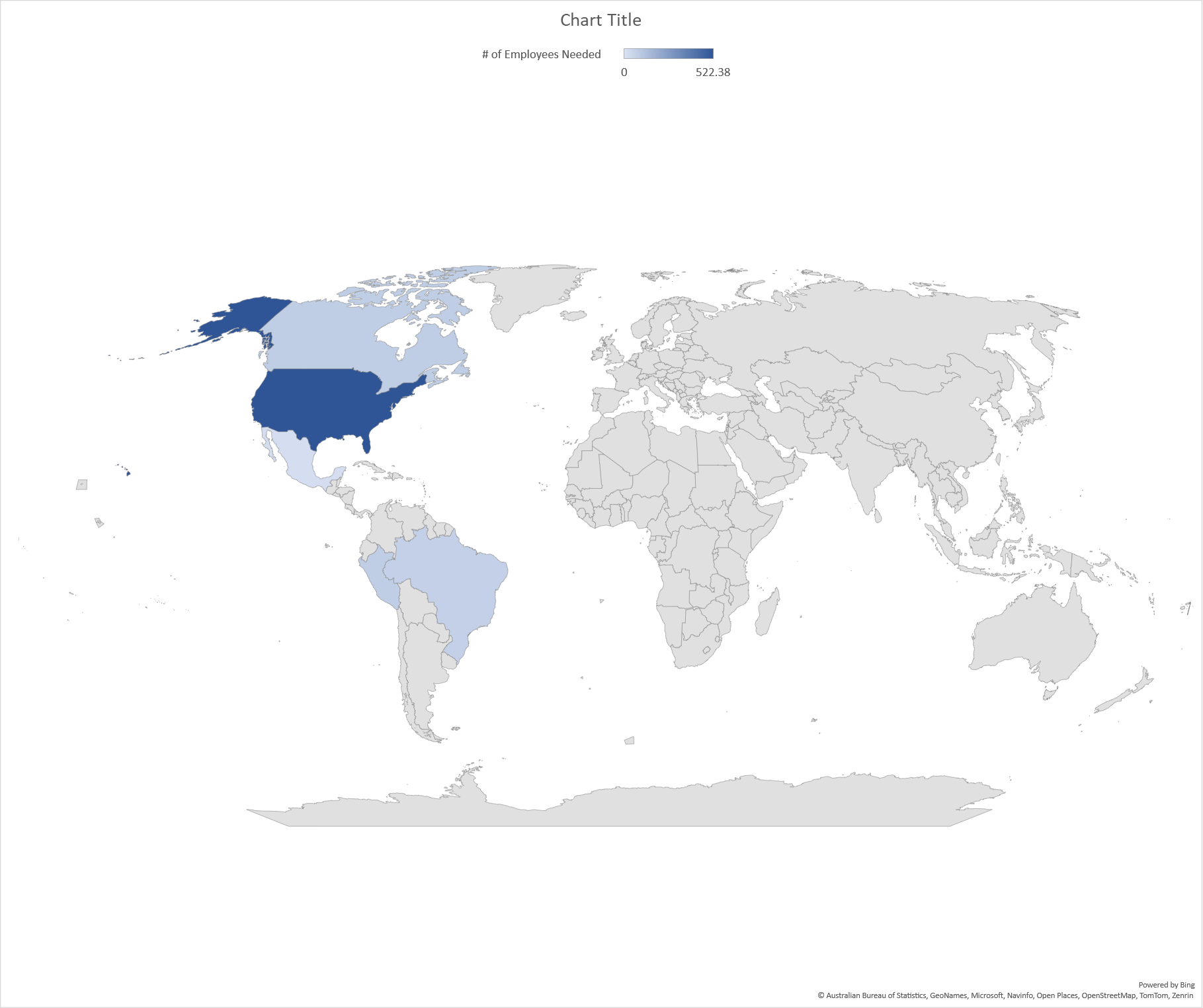
The map feature is really neat! I went ahead and made a map to show the number of employees needed by state in the US and the other showing by country, excluding the US.
Challenge25_Tax_Prep_Data.xlsx (410.2 KB)
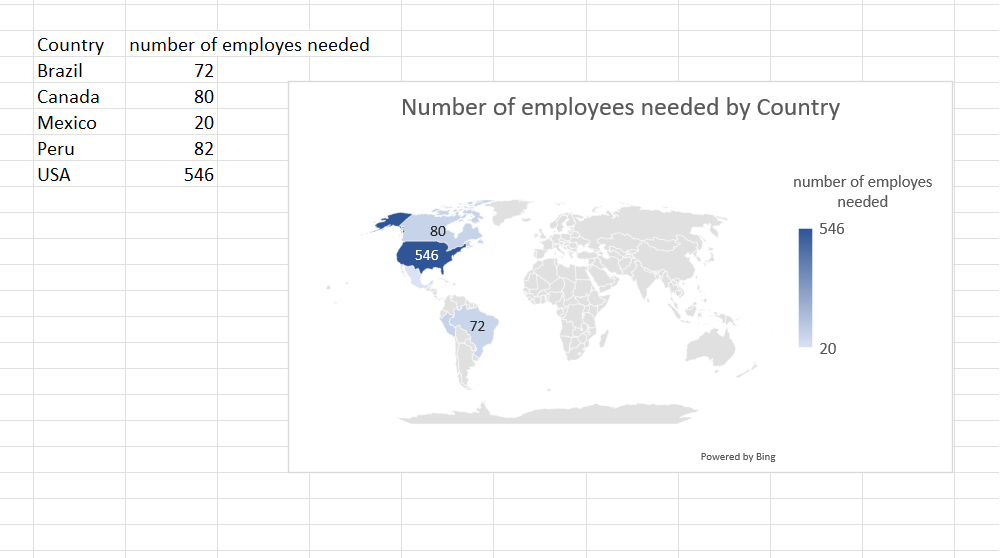
This was so much fun! I had no clue that you could make Map Charts in Excel! It was so cool to play around with all of the ideas for formatting and options in that data view as well.
0207_Fehlberg_Challenge25.xlsx (1.0 MB)